Customise Your Approvals
- Last Updated: 23/10/2025
- By: ApprovalPro Development Team
Configure ApprovalPro to Suit Your Requirements
ApprovalPro gives administrators full control over workflow approvals and reporting. Set your organisation's timezone, select which reports to run, and define when they are generated for maximum efficiency.
You can enable automated reminders and adjust their intensity - High, Medium, or Low — to keep teams accountable without overwhelming them. You can also update your current time zone for reporting and reminders, upload custom email banner images to align with your organisation’s branding, and set the times for your daily and weekly automated reports. These settings ensure ApprovalPro works seamlessly with your business processes and governance standards.
Features
- Clean and Modern Interface: Intuitive design that makes managing approvals easy for all users.
- Fully Responsive: Optimised for desktops, tablets, and mobile devices.
- Automated Multi-Stakeholder Workflows: Streamline approvals involving multiple teams and departments effortlessly.
- Advanced Reporting & Analytics: Detailed reports track progress, flag overdue approvals, and ensure governance compliance.
- Automated Reminders: Control reminder frequency and intensity (High, Medium, Low) to keep teams accountable.
- All reporting and reminder emails are sent according to the timezone you select.
- Customise the email banners for both reminders and reporting to include your own branding.
- Easy Configuration & Customisation: Set timezones, report schedules, approval routing, and notification preferences to match your business needs.
- Governance & Compliance: Ensure approvals follow corporate policies and regulatory standards.
- Seamless Integration: Works smoothly with SharePoint and other enterprise systems.
- Well-Documented & Supported: Full guides and documentation for administrators and users.
- Works directly with your Organisations Active Directory utilising the People search function, to select multiple Approvers easily.
- And Many More Features: ApprovalPro continues to simplify complex approval processes while increasing transparency and efficiency.
Reminder Options
Reminder emails are automatically sent at the preferred time you choose. The level of severity determines the content of the email. You can customize the content to suit your needs depending on the level of reminder you require. Please note: once an Approval has been sent, the reminder level cannot be raised or lowered. If needed, you can cancel the Approval and resubmit it with the new reminder level. This is usually necessary when an Approval is 2–3 days past due, as it is more effective to cancel and resend the Approval with the updated reminder level.
Reminder Times and Levels
Select the reminder level and the time you would like the reminder email to be sent. The reminder level determines the urgency and content of the email, while the time dropdown allows you to choose when it should be delivered. Only one reminder level can be active at a time.
Select your reminder level and the time it should run based on your selected Time Zone
Reminder E-mail Customisations
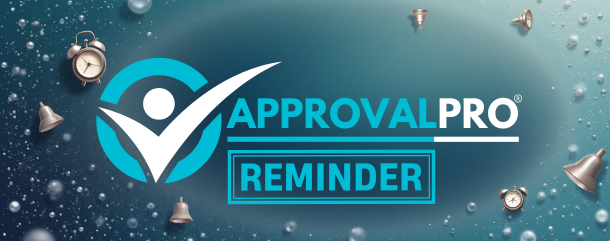
The reminder email header or top banner of your reminder emails can be customised to include your own branding. If you do not provide a custom banner, the default ApprovalPro banner will be used. An example is shown below.
Upload your custom email banner to personalize your reminder emails. You can also choose to use the default ApprovalPro banner. The banner must be exactly 610px wide by 241px high, and it must be a PNG or JPG file.
Reminder E-mail Banner Preview:
Reporting Summary
ApprovalPro's daily reporting provides a comprehensive overview of your organisation's approval workflows, giving administrators full visibility into every stage of the process. Each report tracks approvals across multiple states:
- 🔔 Awaiting: Total Approvals yet to be sent.
- ⏳ Requested: Total Approvals currently under review by the responsible users.
- ⛔ Rejected: Total Approvals requiring changes or corrections.
- 🟣 Approved: Total Approvals completed and awaiting next workflow steps.
- ✅ Completed: Total fully processed approvals, with all tasks executed successfully.
Approval Metrics % Progress Bar
Reporting Options
There are various reporting options to select from below:
Select which reports you want and the time they should run based on your selected Time Zone
Reporting E-mail Customisations
The reminder email header or top banner of your reminder emails can be customised to include your own branding. If you do not provide a custom banner, the default ApprovalPro banner will be used. An example is shown below.
Upload your custom reporting email banner to personalize your reporting emails. You can also choose to use the default ApprovalPro reporting banner. The banner must be exactly 610px wide by 241px high, and it must be a PNG or JPG file.
Reporting E-mail Banner Preview:

Time Zone
The Time Zone setting determines when reports and automated reminders are generated and sent within your organisation’s local time. By default, the system operates on AEST (Australian Eastern Standard Time). Updating this setting ensures all scheduled reports, notifications, and approval reminders are aligned with your team’s working hours and regional time zone.
New Releases & Features
ApprovalPro is proudly built on cutting-edge technology and collaborative design principles. We acknowledge and thank the developers, designers, and contributors whose expertise and innovation have shaped our platform. Key components and frameworks integrated into ApprovalPro include:
- Microsoft 365 & Teams Integration – for seamless approvals within Teams and Outlook.
- SharePoint – powering advanced document management and workflow tracking.
- Custom Reporting Libraries – enabling detailed approval metrics, governance dashboards, and overdue approval tracking.
- User Experience Design References – leveraging best practices from enterprise workflow and project management tools to ensure intuitive navigation and accessibility.
- Security & Compliance Standards – following industry-leading protocols to maintain data integrity, privacy, and audit readiness.
We are continually inspired by feedback from our customers and community to refine ApprovalPro, ensuring it remains flexible, scalable, and fully aligned with modern enterprise needs.
Recent Updates
ApprovalPro is evolving constantly to meet the demands of modern business workflows. Our latest updates include:
- Customisable Approvals – create approval workflows tailored to your organisation’s hierarchy, policies, and branding.
- Branded Reminders & Notifications – send automated reminders and notifications with your company’s logo and style.
- Enhanced Reporting & Analytics – view progress metrics, daily and weekly dashboards, and governance reports for overdue approvals.
- Interactive Approval Options – approvers can accept, reject, or reassign requests directly via Teams, email, or the web app.
- Flexible Pricing & Licensing – scalable options that allow you to pay only for what you use, with plans for organisations of any size.
- Continuous Updates – regular feature releases based on user feedback, improving usability, efficiency, and integration capabilities.
You will notified of upcoming releases, which will include advanced automation, AI-powered workflow suggestions, and deeper integration with enterprise project management tools.
Terms of Use
Welcome to www.approvalpro.com.au (Website). The Website allows you to access and use the ApprovalPro Services.
The Website is operated by ApprovalPro Australia, (ABN 73 803 064 382). By using the Website, you signify that you agree to these Terms. If you do not agree, cease usage immediately.
ApprovalPro Australia reserves the right to update these Terms at any time, with changes effective immediately upon publication.
You accept the Terms by remaining on the Website or by clicking an agreement option where provided.
ApprovalPro is a cloud-based workflow-approval platform that enables organisations to design, automate, and monitor approval processes. It integrates with Microsoft Teams, Outlook, SharePoint, and Active Directory, and provides dashboards and reporting on approvals.
Subscription accounts may vary in features and may be subject to separate account-specific or Software Licensing Agreement terms.
- No disruption or interference with ApprovalPro systems, hacking, or overloading services.
- No illegal activity or violation of privacy/data laws.
- No harassment, impersonation, or fraudulent activity.
- No posting of content in violation of ApprovalPro policies.
Information provided is subject to ApprovalPro Australia’s Privacy Policy, which details collection, storage, processing, and security obligations.
To access Services, you must purchase a Subscription and register an Account. You are responsible for ensuring the Subscription meets your needs and providing accurate information.
Payments may be made through approved methods. ApprovalPro Australia is not liable for third-party payment service issues. Subscription fees may change, and failed payments remain your responsibility.
Refunds are provided in accordance with Australian Consumer Law. ApprovalPro Australia may offer proportional refunds if Services cannot continue or as deemed reasonable.
All content and Services are protected by copyright. Users are granted a limited license to use the Website per these Terms. All other rights are reserved by ApprovalPro Australia.
Disputes must first be addressed by written notice. Parties should attempt resolution within 28 days and may engage a mediator under the Resolution Institute and NSW laws. Mediation is held in New South Wales, with costs shared equally.
The Terms are governed by the laws of New South Wales, Australia. All disputes are subject to the courts of New South Wales. If any part of the Terms is void or unenforceable, the remainder remains in force.
Last updated: 23 October 2025